

API vs CLI: two ways to put AI to work
Every AI feature in AppSite reaches a model one of two ways: through an API or through a CLI. They look alike from the outside — a question goes in, an answer comes out — but they run in different places, are paid for differently, and suit different jobs.
What an API is
An API (application programming interface) is a door a program knocks on over the internet. When one of our cloud functions needs Claude, it sends a request to Anthropic's servers with an API key: the instructions, the text to work on, and how long an answer it may write. The model runs on Anthropic's machines and sends the answer back.
An API is billed per token — every piece of text sent in and every piece written back has a price. Nothing has to be switched on anywhere: the request works at three in the morning, from a scheduled job, for any number of users at once.
Good for: anything that must run on its own, any time — the assistant on a page, a nightly scan, an agent that answers a form.
What a CLI is
A CLI (command-line interface) is a program you run on a computer — typed commands in a terminal instead of buttons on a page. Claude Code is one; the appsite CLI is ours.
The important part is where the work happens. The CLI runs on your computer's own CPU, memory and disk. It checks out the code, reads the files, runs the build, starts a browser to look at the live page, edits files, commits the fix, and deploys. When it needs the model to think, it still asks the provider's servers — but signed in with your Claude subscription, not an API key. That work counts against your plan's usage instead of arriving as a per-token bill.
So a CLI moves two things to your side: the heavy lifting around the model (your CPU does the checkouts, builds, tests and page renders), and the billing (your flat monthly plan, not a meter).
Good for: big jobs that touch a whole codebase — fixing a ticket, repairing a claim on a Home page, scanning a site against its own code, building and deploying a release.
The difference, side by side
| API | CLI | |
|---|---|---|
| Where the program runs | Our cloud | Your computer (or Google Cloud Shell) |
| Where the model runs | The provider's servers | The provider's servers |
| Who does the work around the model | Our cloud functions | Your CPU — checkouts, builds, tests, a real browser |
| How it is paid | Per token, on an API account | Your Claude plan — a flat monthly subscription |
| Needs something switched on | No | Yes — a computer (or Cloud Shell) running the runner |
| Best for | Always-on features, schedules, many users | Large jobs on a codebase, done on your plan |
How AppSite uses both
The cloud keeps the API for what must always be there. Everything heavy goes to the appsite runner — the CLI, left running on a computer — and is answered on the Claude plan:
- Fix, repair, scan and deploy from the record. Press a button on a Cyber Check record and the job goes to the runner; the record prints its progress line by line.
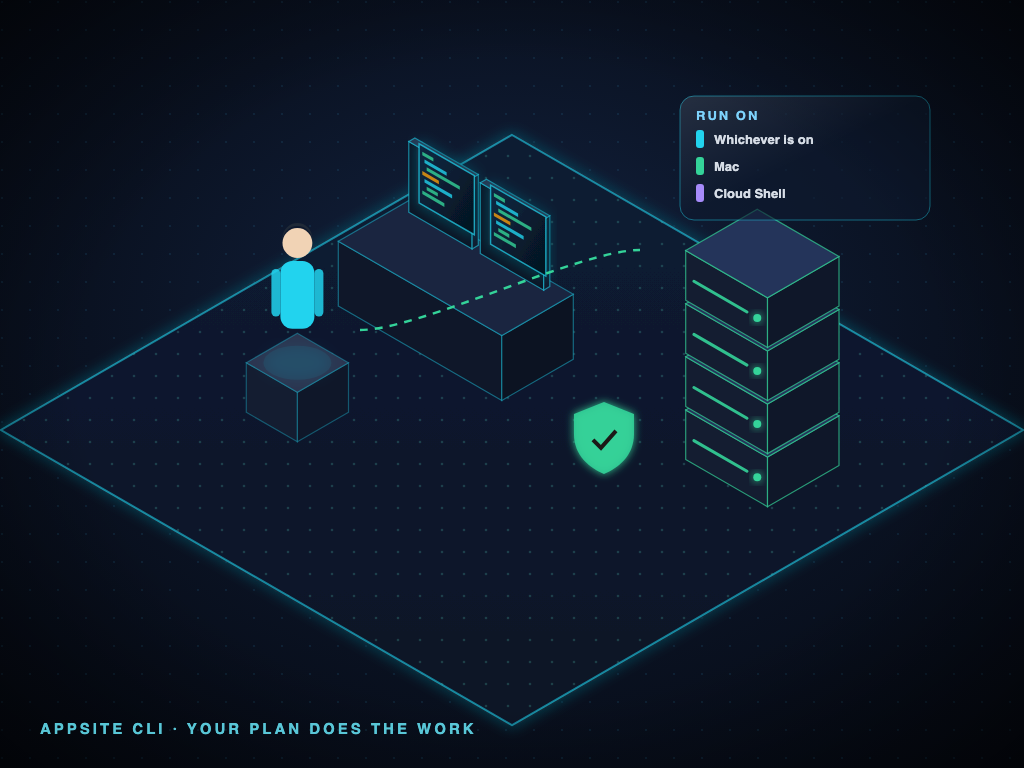
- Pick where it runs. Whichever is on, your Mac, or Google Cloud Shell — each shows whether it is on and which Claude account answers for it. (Windows and Linux runners are next.)
- Follow it from anywhere. The runner icon in the top bar shows what is running and lets you change modules without losing it — Desk keeps it in view the whole time.
- Every call accounted for. Each call is recorded with where it ran — the API, a computer, or Cloud Shell — and what the same work would have cost on the API, so the savings are measured, not guessed.
What it saved, measured
On AppSite's own platform in the first week of October 2026, the runner answered 237 model calls on the Claude plan — work the API would have charged about US$73.61 for. A typical fix came to about US$1.25 at API prices, a full scan about US$2.93. On the plan, each cost nothing more than the subscription we already pay. The appsite.ca Home shows the live figures for the current month.
The trade-offs, honestly
- A plan has limits. Subscriptions share usage over rolling windows; a very large batch can reach them. The API has no such window — it simply bills more.
- Something has to be on. A runner answers only while its computer (or Cloud Shell tab) is running. When none is, the job waits — or, for work that cannot wait, the cloud's API answers instead.
- Same models, same quality. The CLI does not use a smaller model. It is the same Claude, reached a different way.
In one line
An API rents the model by the token from the cloud. A CLI does the work on your own machine and lets the plan you already have do the thinking.